Determine the level of product customization
Bravura Security Fabric is a comprehensive suite of products made up of many binaries and scripts, which are designed to work together as a unified identity, privilege, and password management platform.
When troubleshooting or preparing for an upgrade or migration, you must be able to identify if and where the Bravura Security Fabric instance uses stock code versus something customized.
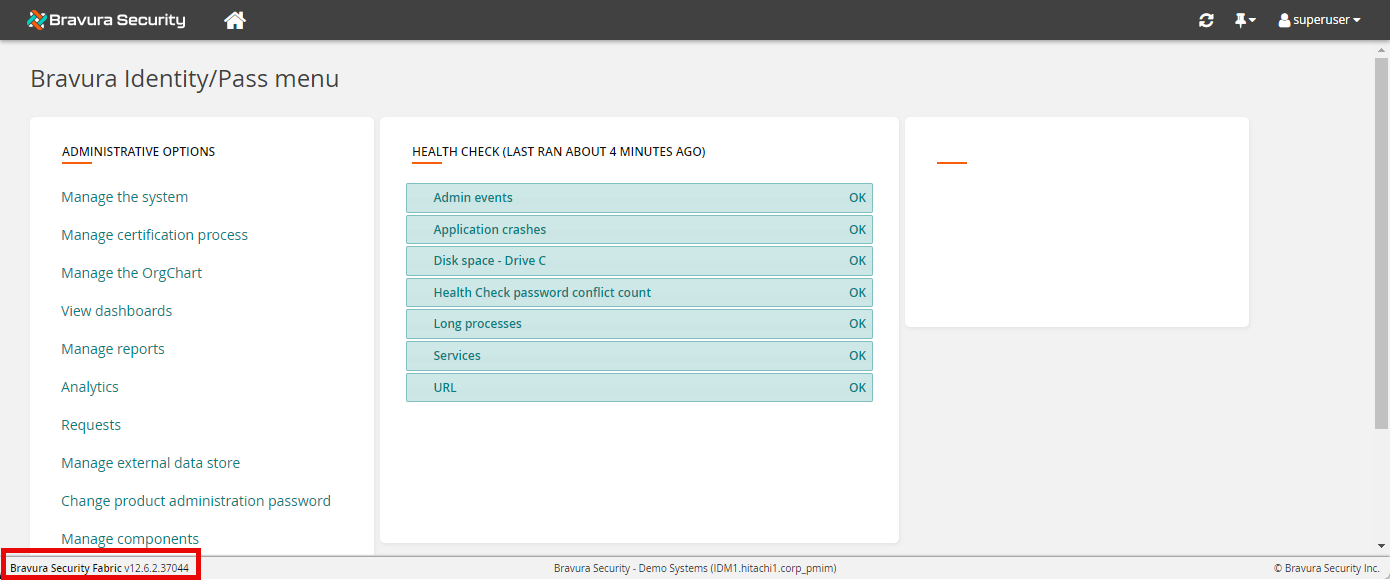
There are several ways to check for specific versioning changes in your current instance:
Look for the version displayed in the default product web UI footer, as shown above. This is the version of the CGI binary that renders that specific page.
Check the binary versions and their builds in Windows Explorer by right-clicking the file, selecting Properties > Details. Alternatively, you can check version information using the getfileinfo program.
Write a complete list of versions for each binary in the product to a text file by running the following command in a command prompt from the instance's util directory:
instdump.exe -binaryversion -outfile binversions.txt
See instdump for more usage information.
For more details such as file description (which includes who each binary was built for), and information on other files like config and non-binaries, and the CommonFiles required by some of these binaries, use PowerShell from the instance directory. For example:
dir cgi-bin\, agent\, agent\cmn\, interface\, plugin\, service\, util\, design\, report\, wwwdocs\, C:\Program Files\Common Files\Bravura Security\ | Get-ItemProperty |
                  Format-list -Property * -Force > binversions-verbose.txt
If the agent directory is in the Global Connector Pack location, replace that location in the cmdlet above.
Add other locations, or use a subset of the command for a specific troubleshooting task.
Check if SQL stored procedures in the backend database are customized by comparing them with the default code listed in the instance's
db\functions-mssql.sql.Similarly, the default backend SQL database schema is provided in
db\dbdefault-mssql.sql.Look for custom product UI skins in
design\custom.When upgrading to a newer version, these may not work as-is because the UI changes between versions. However, they are useful to determine what needs to change.
Look for custom components in
component\Custom(ignore the samples).Configuration for installed components and other parts of the product is in
db/extdb.db.Identify custom plugin scripts by modification date in the instance's plugin directory.
Look for other custom scripts, such as
pxnull-itsm.cfgwhich contains exit trap email notifications, in the instance'sscript\directory. The date and timestamp are also useful here for identifying modified scripts.View details of the license currently active on a product application node by running the following command in a command prompt from the instance's util directory:
licviewer ..\license\idmsuite.lic
See licviewer for more usage information.