Create a new user from a pre-defined request
The following example creates a new profile using a pre-defined request.
Product administrators combine template accounts and groups in a role, then set up a pre-defined request to add a new user.
To submit the pre-defined request, login as an end user:
From the main menu, click Create a new user profile.
If your administrator has set up pre-defined requests, Bravura Security Fabric displays a menu of request types.
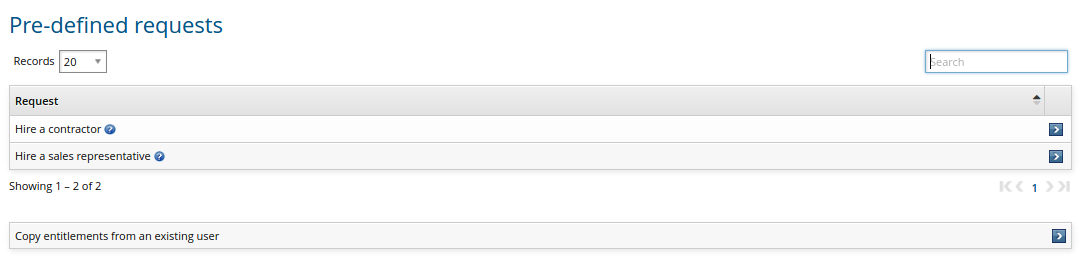
Click the link for the type of user you want to create..
Enter basic profile information.
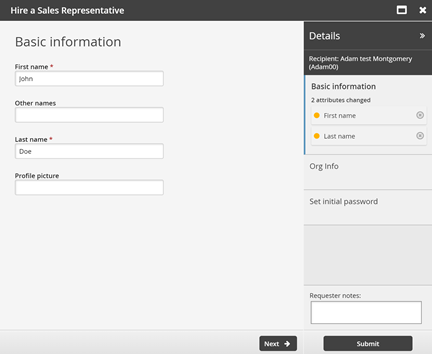
Click Next .
Enter other information.
There may be multiple forms for the information required. In this example, the information is defined by the ORG-INFO attribute group:
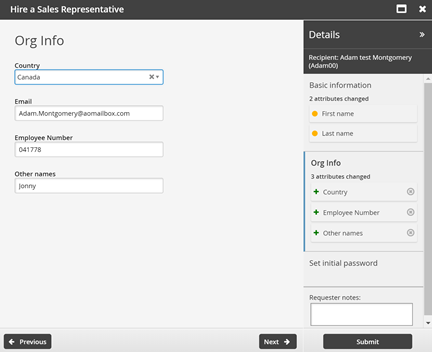
Click Next .
Set the initial password as required for new accounts.
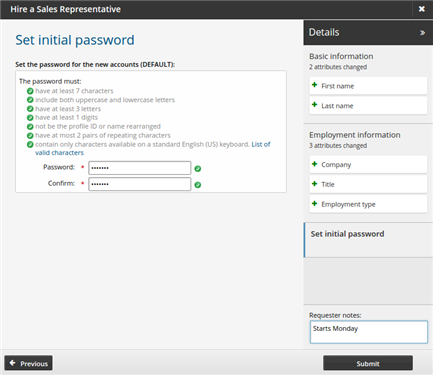
Click Submit.