REST API Authorization policies
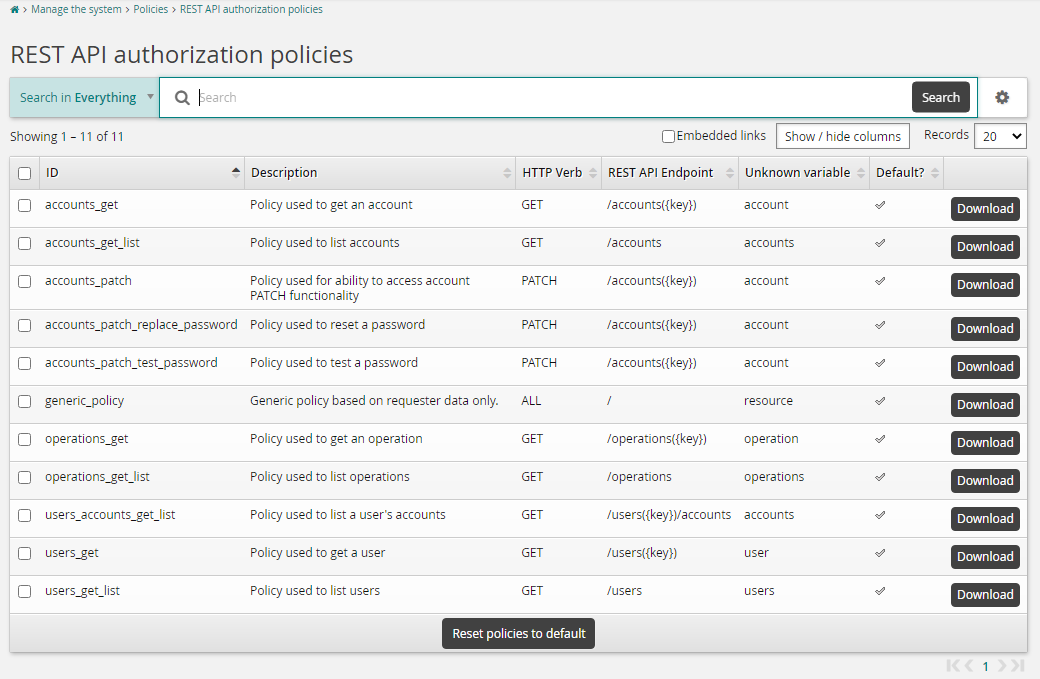
Product administrators can use the REST API authorization policies page to search, download, and reset these policies to default.
The user interface allows you to identify which policies apply to which endpoints, and if they have been modified or if they are the default, shipped policies. You can also use this page to download the current policy for each endpoint.
Click Manage the System > Polices > REST API authorization policies.
Temporary Access Pass endpoints
The REST API endpoints that issue, list, and revoke Temporary Access Passes (TAP) are available in 12.7.3, 12.8.1, 12.9.1, 12.10.1, and 12.11.0 and later.
The default policies for these endpoints allow superusers and members of the _HELP_DESK_MANAGERS_ and _GLOBAL_HELP_DESK_ user classes. All other callers are denied. A denied call returns HTTP 404 Not Found, so the response does not reveal whether the account exists.
In 12.11 and later, callers also need the Issue temporary access passes privilege. A caller must satisfy both the policy and the privilege. The privilege is denied by default, and no user group has it after installation. Grant it to the user groups that manage Temporary Access Passes in Manage the system > Security > Access to user profiles > Global help desk rules.
Important
When you upgrade from 12.10 or earlier to 12.11 or later, TAP calls stop working until an administrator grants the Issue temporary access passes privilege. Grant it only to the user groups that need it, because a Temporary Access Pass gives sign-in access to the account.